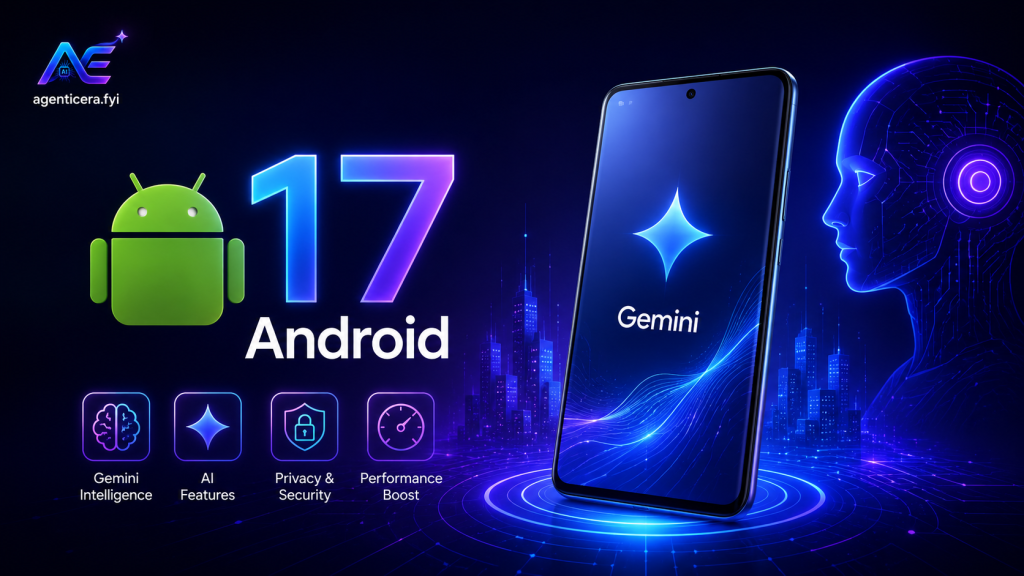
Google has officially pulled back the curtain on Android 17, and it may be the most consequential Android update in years. Unveiled at The Android Show: I/O Edition on May 12, 2026 — just one week before Google I/O — the new operating system marks a fundamental shift in how your phone works. Google is no longer describing Android as just an “operating system.” Its new ambition: an intelligence system, built around a next-generation AI layer called Gemini Intelligence. Here is everything you need to know.
What Is Android 17 and When Does It Release?
Android 17 is Google’s next major mobile operating system update, expected to reach a stable release in June or July 2026. It has been available in beta since early February 2026, and beta testing is already deep into its third phase. The first devices to receive the stable build will be the Google Pixel 10 series and Samsung Galaxy S26, with a gradual rollout to other supported phones following over weeks and months. Samsung users can also expect Android 17 features to arrive through One UI 9, anticipated alongside Samsung’s next foldable lineup in July 2026.
If you want early access, Google’s public beta program is currently open for eligible Pixel devices. Most modern Android phones — including recent Pixel, Samsung Galaxy S and Z series, OnePlus, and Xiaomi flagships — are expected to receive the update at some point through 2026 and 2027.
What Is Gemini Intelligence and How Does It Work?
The centerpiece of Android 17 is Gemini Intelligence — Google’s umbrella branding for a suite of on-device, agentic AI features that go far beyond chatting with an assistant. So, what exactly makes Gemini Intelligence different from what came before? Rather than simply answering questions inside a chat window, Gemini Intelligence can now execute multi-step tasks autonomously, moving across apps on your behalf with minimal prompting.
In a demo at The Android Show, Google showed Gemini scanning a poster for a tasting tour in Costa Rica and then — without further instruction — locating a comparable six-person tour via Expedia and preparing it for checkout. The user’s only required action was tapping “pay.” This kind of cross-app automation signals a new era where AI acts as a proactive agent, not a passive tool.
Other Gemini Intelligence capabilities include:
- Multi-step app automation — Gemini handles chains of actions: booking a ride, placing a food order, finding a specific email, or adding items to a shopping cart.
- Visual context awareness — Gemini can read what is on your screen and act on it. For example, opening a long grocery list in your notes app and having Gemini build a full delivery cart automatically.
- Intelligent Autofill — Reads your passport photo from Google Photos, extracts details, and fills in visa application forms — pulling from Gmail, Wallet, Photos, and connected Google apps. This feature is opt-in.
- Magic Cue Pro — Reads more apps and offers more proactive, context-aware suggestions than the previous Magic Cue tier. The upcoming Pixel 11 (expected August 2026) is rumoured to expand this further with the Tensor G6 chip.
What Are the New AI Features in Android 17?
Beyond Gemini Intelligence’s automation backbone, Android 17 introduces several targeted AI-powered tools worth highlighting individually.
What Is Rambler and How Does It Improve Voice Dictation?
Rambler is a new AI dictation mode built into Gboard. You speak freely — filler words, mid-thought corrections, even mid-sentence language switches — and Rambler converts your speech into a clean, polished message. It removes “um,” “ah,” and “like,” intelligently adjusts if you change your mind partway through a sentence, and supports multiple languages simultaneously. For anyone who regularly dictates messages, this is one of the most immediately practical upgrades in Android 17.
What Is “Create My Widget” in Android 17?
Create My Widget lets you build a fully custom home screen widget simply by describing what you want in plain language. Powered by Gemini, the feature can pull data from across your Google apps and generate widgets tailored to your exact needs — a multi-timezone world clock, a daily calorie tracker, a stock ticker, a countdown to an event, or a live weather display. Widgets created this way will also sync to Wear OS watches and Googlebook laptops later in 2026, making this the first step toward what Google is calling “generative UI.”
How Does Android 17 Handle Privacy and Security?
Is all this AI running in the background safe? This is one of the most common questions users are asking — and Google has clearly anticipated it. Android 17 introduces AISeal with pKVM, a hardware-isolated environment that ensures ambient data processed by Gemini Intelligence stays on-device and protected. Google’s entire approach to Gemini Intelligence security is grounded in three stated principles: explicit user control, comprehensive data protection, and operational transparency.
On top of the AI-specific protections, Android 17 brings a meaningful set of general security upgrades:
| Feature | What It Does |
|---|---|
| AISeal with pKVM | Hardware-isolated on-device AI processing environment |
| Default-on theft protection | Remote Lock and Theft Detection Lock enabled globally out of the box |
| OTP hiding | One-time passwords auto-hidden from most apps for three hours after receipt |
| Live threat detection | On-device AI flags apps that forward SMS, misuse accessibility features, or hide icons |
| PIN brute-force protection | Reduced guess limits and longer lockout delays on supported devices |
| Android OS Verification | Cryptographic proof you’re running an official Android build (Pixel first) |
| Verified financial calls | Partnerships with banks to authenticate caller IDs and combat spoofing scams |
What Other Non-AI Features Are Coming to Android 17?
Not everyone is excited about AI. So, is Android 17 worth upgrading to if you are not interested in Gemini? The answer is still yes. Android 17 includes a number of meaningful platform-level improvements:
- 3D Emoji (Noto 3D) — A complete emoji visual refresh with a new three-dimensional emoji collection.
- Expanded Quick Share — The cross-platform file sharing feature (compatible with Apple AirDrop) now extends to even more Android devices beyond Pixel and Samsung Galaxy.
- Android Auto redesign — A refreshed UI with Material 3 Expressive design, edge-to-edge Google Maps, customizable widgets, and Immersive Navigation with 3D views.
- Pause Point (anti-distraction tools) — New tools to help users manage screen time and reduce notification interruptions.
- Screen Reactions — A new way to react to content displayed on screen.
Which Phones Will Get Android 17?
The rollout follows a familiar pattern. Google Pixel devices get it first — Beta 1 launched for Pixel 6 and newer in February 2026, with the stable release coming in June or July 2026. Samsung Galaxy S26 and Z series are next, with One UI 9 expected around July 2026. Xiaomi has officially joined development with its Android 17 Developer Preview under HyperOS 3.3. OnePlus and other brands will follow with their own timelines through late 2026 and into 2027.
Full Gemini Intelligence features — particularly multi-step automation and Create My Widget — will initially be limited to flagship devices like Pixel 10 and Galaxy S26. A stripped-down version of Gemini features will roll out to more Android phones over the course of 2026 and 2027.
Frequently Asked Questions (FAQ)
What is Android 17? Android 17 is Google’s next major mobile operating system, announced at The Android Show on May 12, 2026. It introduces Gemini Intelligence, a new AI layer that enables autonomous, multi-step task execution across apps, along with security upgrades, UI changes, and new emoji.
When will Android 17 be released? The stable release of Android 17 is expected in June or July 2026. Google Pixel devices will be among the first to receive it, followed by Samsung Galaxy S26 and other flagships. A public beta is currently available for eligible Pixel phones.
What is Gemini Intelligence on Android 17? Gemini Intelligence is Google’s new branding for its suite of on-device agentic AI features in Android 17. It enables Gemini to perform multi-step tasks autonomously — such as booking tours, building shopping carts, and filling out forms — across multiple apps, without the user needing to intervene at each step.
What is the Create My Widget feature in Android 17? Create My Widget lets users generate custom home screen widgets by describing what they want in natural language. Gemini builds the widget by pulling data from connected Google apps, and the widget can sync to Wear OS watches and Googlebook laptops.
Is Android 17 safe for privacy? Yes. Android 17 introduces AISeal with pKVM, a hardware-isolated environment for all on-device AI processing. Google has also stated its approach is grounded in explicit user control, data protection, and transparency. Intelligent Autofill and other sensitive features are opt-in.
What phones will get Android 17? Most modern Android phones will receive Android 17. Google Pixel 6 and newer, Samsung Galaxy S and Z series (recent generations), Xiaomi flagships, and many OnePlus devices are confirmed or expected to be eligible. Rollout timelines vary by brand and device.
Will Android 17 work on older Android phones? Basic Android 17 platform features will reach many phones running Android 10 or higher, particularly some security features like theft protection. However, full Gemini Intelligence features will be limited to flagship devices with the hardware to support on-device AI processing.
How is Android 17 different from Android 16? Android 16 was a more incremental update. Android 17 represents a strategic shift — Google is repositioning Android as an “intelligence system,” not just an OS. The core difference is the introduction of Gemini Intelligence and agentic AI that can autonomously act across apps, something Android 16 did not support.