What Is OpenClaw? {#what-is-openclaw}
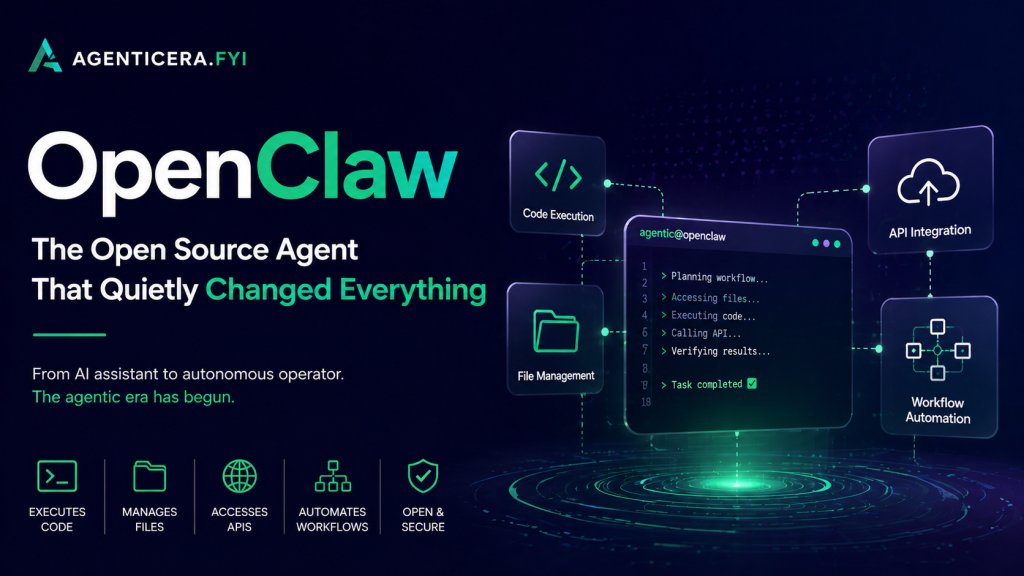
OpenClaw is a free, open-source, self-hosted AI agent — a personal assistant that runs on your own machine and takes action on your behalf across every platform you use.
Unlike cloud-based AI tools, OpenClaw is local-first. Your data, memory, and context stay on your device. There’s no subscription and no vendor lock-in. You bring your own API keys, connect your preferred AI model, and the software does the rest.
Created by Peter Steinberger (founder of PSPDFKit), OpenClaw launched under the name “Clawd” and reached 60,000 GitHub stars in 72 hours. As of April 2026, the official GitHub repository has crossed 310,000 stars and 58,000 forks, with over 1,200 open-source contributors — making it one of the fastest-growing AI projects in history.
Key stat: OpenClaw surpassed React in historical star velocity in its first quarter.
How Does OpenClaw Work? {#how-does-openclaw-work}
OpenClaw sits between your messaging apps and your operating system, acting as a persistent AI gateway. Here’s the basic flow:
- You message your agent on WhatsApp, Telegram, Slack, Discord, or any of 20+ supported platforms.
- OpenClaw routes your request to your chosen LLM (Claude, GPT, DeepSeek, local models via Ollama, and more).
- The agent executes the task — reading files, running scripts, browsing the web, scheduling a meeting, drafting an email — and replies.
- Background cron jobs continue working even when you’re not actively chatting.
The architecture is model-agnostic and MIT-licensed. You own everything.
Supported platforms include: WhatsApp, Telegram, Slack, Discord, iMessage, Signal, Google Chat, Microsoft Teams, WeChat, Matrix, Mattermost, Twitch, IRC, LINE, and more.
OpenClaw Features in 2026 {#openclaw-features-2026}
OpenClaw has evolved far beyond a simple chatbot wrapper. Here are the capabilities that define it in 2026:
Agentic task execution — Autonomously completes multi-step tasks: file management, shell commands, browser automation via Chrome DevTools Protocol (CDP), and calendar management.
Voice interaction — Full text-to-speech and speech-to-text support on macOS, iOS, and Android. Speak to your agent; it speaks back.
Google Meet participation — OpenClaw can join meetings as an AI participant, transcribe audio, and export attendance records — a major 2026.4.25 addition.
Persistent memory — Context is stored across sessions using SOUL.md and AGENTS.md files, so your agent remembers your preferences, projects, and workflows.
Cron scheduling — Set tasks to run on a schedule. Your agent works overnight so you don’t have to.
ClawHub skills marketplace — Install community-built skills for specific workflows, from Google Ads management to Kubernetes deployments.
Multi-agent orchestration — Spawn subagents to handle parallel workstreams, with proper session isolation and model override support.
Latest Release: OpenClaw 2026.4.26 {#latest-release}
OpenClaw ships updates at a remarkable pace. The current stable release is 2026.4.26, published April 29, 2026. Here’s what’s new:
Voice overhaul (2026.4.25): Full TTS upgrade with per-agent and per-account voice personas, chat-scoped auto-TTS controls, and new provider support including ElevenLabs v3, Azure Speech, Xiaomi, Inworld, and Volcengine.
Google Meet support (2026.4.25): Bundled participant plugin with personal Google auth, Chrome/Twilio realtime sessions, artifact and attendance exports, and tab recovery tooling.
DeepSeek V4 models: DeepSeek V4 Flash and V4 Pro are now bundled. V4 Flash is the new onboarding default — a strong cost-performance choice for most users.
OpenTelemetry observability: Telemetry now spans model calls, token usage, tool loops, exec processes, outbound delivery, and memory pressure — the kind of instrumentation serious operators need.
Safer browser automation: Iframe-aware role snapshots, safer tab URL handling, and deeper browser diagnostics for slow hosts.
Plugin registry hardening: Plugin startup and install paths now use a cold persisted registry, reducing manifest scan overhead and making plugin updates more deterministic.
OpenClaw Skills and ClawHub {#openclaw-skills-clawhub}
One of OpenClaw’s most powerful — and most misunderstood — features is the skills system.
A skill is a directory containing a SKILL.md file that tells OpenClaw what the skill does, what tools it uses, and how to trigger it. Skills can be installed manually or via ClawHub, the community skills marketplace.
As of April 2026, ClawHub hosts over 4,000 community-built skills, covering:
- CRM and lead generation automation
- Google Ads and SEO campaign management
- Kubernetes and DevOps workflows
- Meeting transcription and summarisation
- Personal finance tracking
- JARVIS-style Mission Control dashboards
Critically, OpenClaw can write new skills for itself when asked. You describe a workflow you want automated; the agent builds the skill and immediately starts using it.
⚠️ Security note: Approximately 17% of third-party skills analysed in early 2026 were found to contain malicious code. Always audit community skills before running them, or use verified skills from trusted publishers on ClawHub.
Is OpenClaw Safe to Use? {#is-openclaw-safe}
This is the most important question anyone evaluating OpenClaw should ask — and it deserves a direct answer.
OpenClaw is powerful. That power requires responsibility.
Because OpenClaw has access to your file system, shell, messaging apps, and browser, a poorly configured instance or a malicious skill can cause real harm. The attack surface is significant.
The most pressing technical risk is prompt injection — where malicious instructions embedded in an email, file, or web page are executed as if they came from you. Cisco’s AI security research team found evidence of this in at least one third-party OpenClaw skill.
The OpenClaw team has invested heavily in mitigations:
- SHA-256 verification for all plugin archives
- Rewritten SSRF filter for browser automation
- An exec-policy CLI for auditing permitted shell commands
- Machine-checkable security models
- Identity integrity checks on owner-enforced commands (2026.4.21)
One project maintainer summed up the situation clearly: “If you can’t understand how to run a command line, this is far too dangerous of a project for you to use safely.”
For most technically comfortable users who take basic precautions — auditing skills, using allowlists, keeping the gateway off public networks — OpenClaw is manageable. For non-technical users, the risk is real and should not be minimised.
Prompt injection remains an industry-wide unsolved problem, and no amount of hardening fully eliminates it today.
OpenClaw vs. Other AI Agents {#openclaw-vs-alternatives}
| OpenClaw | AutoGPT | NanoClaw | Emergent Moltbot | |
|---|---|---|---|---|
| Cost | Free (pay API only) | Free | Free | Custom SaaS |
| Self-hosted | ✅ Yes | ✅ Yes | ✅ Yes | ❌ Cloud |
| Messaging integrations | 20+ platforms | Limited | Limited | Managed |
| Skills/plugins | 4,000+ (ClawHub) | Limited | Limited | Managed |
| Voice support | ✅ Full TTS/STT | ❌ | ❌ | Varies |
| Security model | Open, auditable | Open | Container-isolated | Vendor-managed |
| Best for | Power users, devs | Researchers | Security-focused | Non-technical teams |
OpenClaw’s edge over alternatives is breadth: more messaging integrations, more skills, more active development, and a larger community than any comparable open-source project. Its weakness is setup complexity and the security responsibility it places on the user.
How to Get Started with OpenClaw {#how-to-get-started}
Getting OpenClaw running takes about 15 minutes if you’re comfortable with a terminal.
Prerequisites: Node.js, npm or pnpm, and an API key for your chosen LLM.
Install via npm:
bash
npm install -g openclaw openclaw onboardThe openclaw onboard wizard walks you through gateway setup, workspace configuration, channel connections, and your first skill install.
Install from source:
bash
git clone https://github.com/openclaw/openclaw.git cd openclaw pnpm install pnpm openclaw setup pnpm gateway:watchFull documentation is available at openclaw.ai. For a managed alternative that skips the terminal entirely, OpenClaw Cloud and StartClaw (B2B managed version) are available for teams who want the capability without the setup overhead.
Frequently Asked Questions {#faq}
What is OpenClaw used for? OpenClaw is used for personal AI automation — automating email triage, managing calendars, running code, controlling a browser, joining meetings, and completing multi-step tasks across messaging apps like WhatsApp, Telegram, and Slack.
Is OpenClaw free? Yes. The software is MIT-licensed and free to use. Your only cost is LLM API usage, which typically runs $10–150/month depending on usage.
What AI models does OpenClaw support? OpenClaw is model-agnostic. It supports Claude (Anthropic), GPT models (OpenAI), DeepSeek V4 Flash and Pro, Grok (xAI), and local models via Ollama. The default onboarding model as of April 2026 is DeepSeek V4 Flash.
Is OpenClaw safe to use? OpenClaw is safe for technically experienced users who understand the security implications of running an agent with broad system access. It is not recommended for non-technical users without guidance. Always audit third-party skills before installing them.
How many GitHub stars does OpenClaw have? As of April 2026, OpenClaw has over 310,000 GitHub stars and 58,000 forks, with 1,200+ contributors.
What is the latest version of OpenClaw? The latest stable version is 2026.4.26, released April 29, 2026. A 2026.4.27 beta is also available on the beta channel.
Who created OpenClaw? OpenClaw was created by Peter Steinberger, founder of PSPDFKit. Steinberger has since joined OpenAI, and stewardship of the project is transitioning to a non-profit foundation.
What is ClawHub? ClawHub is OpenClaw’s official skills marketplace, hosting over 4,000 community-built skills that extend the agent’s capabilities for specific workflows.